
Introduction
Local Send—The Best Local File Sharing App in 2025—is a straightforward, quick, and private way to share files between devices on the same network. It works without cables, without sign-ups, and without uploading files to the cloud. In 2025, LocalSend is becoming one of the most trusted file sharing apps for users who want speed and privacy. People send photos, videos, documents, and apps every day. Many tools exist, but most require the internet, cloud accounts, or complex procedures.
This comprehensive explanation describes LocalSend’s capabilities, advantages, and how to use it for everyday file transfers. It also explains why Local Send is so well-liked.
What Is Local Send?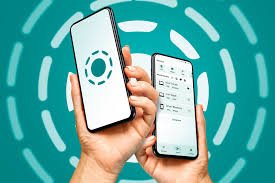
Using a local network, users may exchange files directly between devices with LocalSend, a free and open-source file sharing application. Neither internet connectivity nor mobile data are necessary. All that is required is that devices be linked to the same Wi-Fi network.
LocalSend does not upload your data to servers, in contrast to conventional file sharing applications. Everything takes place locally. For those who value speed and anonymity, this makes LocalSend—The Best Local File Sharing App in 2025—a potent option.
LocalSend is compatible with several systems. Without an account or login, you may transfer files between computers, desktops, tablets, and phones.
Why Local Send Is the Best File Sharing App in 2025
Because LocalSend resolves typical file sharing issues, its popularity is rising. Many apps are sluggish, have a lot of advertisements, or need internet connectivity. All of these problems are avoided via LocalSend.
The simplicity of LocalSend—The Best Local File Sharing App in 2025—is one of the main reasons users adore it. The application launches rapidly, locates devices in the vicinity, and transmits files in a matter of seconds.
Privacy is another important factor. Your data stays with you since files never leave your local network. No cloud storage. Not a trace. No secret uploads.
The main attributes of Local Send
LocalSend is user-friendly and provides strong functionality. Because of this balance, it is ideal for both novice and expert users.
- Fast local file transfer without internet connection
- no need for an account or registration
- end-to-end encrypted connections
- support for big file sizes
- compatibility with many systems
- and Free and open-source. A simple, ad-free interface
Because of these characteristics, LocalSend—The Best Local File Sharing App in 2025—is appropriate for both personal and business use.
How Local Send Operates
LocalSend finds nearby devices running the software by using your local Wi-Fi network. Both devices appear immediately when they are linked to the same network.
You may choose files from your computer or phone and send them right away after a device has been chosen. A request is sent to the receiving device, which has the option to accept or reject it.
It’s a quick, safe, and easy process. No pairing via Bluetooth. No QR codes. Don’t wait.
Platforms That Are Supported
The cross-platform compatibility of LocalSend, The Best Local File Sharing App in 2025, is one of its main advantages.
LocalSend operates on: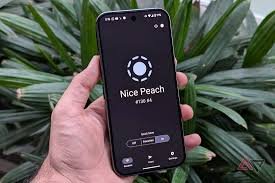
- Android
- iOS
- Windows
- macOS
- Linux
This implies that you may transfer data across various operating systems or between a phone and a laptop without any issues.
Security and Privacy in Loca lSend
One of the main issues with file sharing is privacy. Many apps use distant servers to store files or gather data. LocalSend has the opposite effect.
When you use LocalSend to exchange files, they remain on your local network. The internet does not receive any data uploads. Secure transfers are ensured using encrypted connections.
Because of this, LocalSend—The Best Local File exchanging App in 2025—is perfect for exchanging work files, private images, and confidential papers.
Free File Sharing on the Internet
The fact that LocalSend doesn’t require internet connectivity is one of its most potent advantages. File sharing functions flawlessly as long as devices are linked to the same Wi-Fi network.
In locations with spotty or sluggish internet connectivity, this function is really helpful. You don’t have to worry about sluggish uploads or data constraints while transferring big files.
Conventional File Sharing Apps vs. Local Send
Cloud servers are frequently used by traditional file sharing applications. After being uploaded and processed, files are downloaded to a different device. This may be dangerous and slow.
Local Send operates in a different way. It transfers files straight between devices. Better privacy and quicker transmission rates are the outcomes.
Local Send can handle bigger files and is significantly quicker than Bluetooth.
Experience and User Interface
Local Send has an easy-to-use UI. There are no pop-ups, advertisements, or unclear menus. Everything has easy-to-understand labels.
Without having to understand complicated procedures, users of all ages may utilize Local Send, the Best Local File Sharing App in 2025.
Step-by-Step Guide to Using Local Send
LocalSend is easy to use.
- Install the app on both devices first.

- Secondly, link both gadgets to the same wireless network.
- Third, choose the receiving device after launching the application.
- Fourth, choose files and submit them.
- Lastly, on the recipient device, accept the transfer.
That’s all. The entire procedure takes a few seconds.
Top Local Send Use Cases
There are several everyday scenarios where LocalSend is helpful.
- Students can swiftly exchange study resources.
- Teams in the office may share files without the need for email attachments.
- Families may transmit films and pictures with ease.
- Experts are able to safely transfer files across machines.
LocalSend: The Best Local File Sharing App in 2025 is a dependable tool for everyone because of these usage scenarios.
Speed and Performance
LocalSend makes use of your local network’s maximum speed. In comparison to internet-based applications, file transfers are therefore far quicker.
Documents, folders, and large video files may be delivered in a matter of seconds. Even after several moves, performance stays consistent.
The Advantage of Open-Source
Local Send is available as open-source. This indicates that its code is openly accessible and often examined by programmers.
In addition to ensuring that there are no hidden features or tracking mechanisms, this transparency fosters confidence.
Through community feedback, open-source development also speeds up Local Send’s improvement.
Efficiency of Batteries and Resources
Local Send is effective and lightweight. It consumes less system resources and does not rapidly deplete the battery.
Because of this, Local Send—The Best Local File Sharing App in 2025—is also perfect for older gadgets.
Typical Issues and Their Fixes
Devices may occasionally fail to recognize one another. When devices are connected to various networks, this typically occurs.
Make that the two devices are linked to the same wireless network. Detection problems can also be resolved by restarting the application.
Network constraints or firewalls may prevent discovery. Usually, this may be resolved by changing the network settings.
Local Send’s future
With frequent improvements, LocalSend keeps getting better. Developers prioritize user experience, performance, and stability.
Advanced functionality like group transfers and improved device finding could be added by LocalSend in the future.
LocalSend—The Best Local File Sharing App in 2025—is here to stay, as evidenced by its expanding user base.
frequently asked questions
Is LocalSend totally free?
Indeed, LocalSend is open-source and completely free.
Does LocalSend require internet access?
No, it operates without the internet on a local network.
Is it safe to utilize LocalSend?
Yes, all transfers remain local and are encrypted.
Can I use Local Send to exchange big files?
Large files are supported by Local Send with ease.
Does Local Send function across several devices?
It is compatible with both PCs and phones.
Concluding
In 2025, Local Send has transformed file sharing. It provides simplicity, speed, privacy, and independence from the internet.
Local Send—The Best Local File Sharing App in 2025—is a great option for anybody looking for quick and safe file transfers because of its robust performance and simple design.
Local Send is an app you should try if you’re looking for a dependable substitute for cloud sharing.
👉 Go Here
Download now