
Introduction
One annoying problem affects a lot of WordPress users. When you search for a plugin under Plugins → Add New, nothing comes up. WordPress is unable to locate the plugin, even if you are aware of its existence. At this point, individuals inquire, “WordPress Not Finding Plugins? Easily fix it 😟.
Users in the UK, USA, Canada, and Australia frequently have this issue. Even seasoned users may encounter it, although beginners encounter it most frequently. Fortunately, this problem is typically simple to resolve 👍.
We’ll explain why WordPress isn’t finding plugins in this guide. Easily fix it using basic language. Technical expertise is not required. We’ll take you step-by-step through the reasons, solutions, and preventative advice 😊. fresh webpages.
⚙️ Principal Causes of WordPress Not Finding Plugins
🔌 Problems with Internet Connection
In order to retrieve plugins, Word Press requires an online connection. Plugin search fails ❌ if your server is unable to connect.
On local servers or situations with restricted hosting, this is quite typical.
🔐 Security Block or Firewall
Word Press may not be able to reach the plugin repository due to firewalls.
Outgoing connections may also be blocked by security plugins 🛡️.
Users may wonder, “WordPress Not Finding Plugins?” as a result. How Can I Easily Fix It?
🏗️ Hosting Restrictions
On entry-level plans, some hosting companies prohibit the installation of plugins.
Plugin access is occasionally restricted by managed Word Press hosting 🏠.
🔄 WordPress Version Problems
Word Press versions that are too old might not connect correctly.
The problem is frequently resolved by updating WordPress 🔄.
🛠️ Can’t Find Plugins in WordPress? Easily Fix It Using Easy Solutions
✅ First Solution: Verify Your Internet Connection 🌐
Verify that your hosting server is connected to the internet.
Plugin search might not function if you use localhost.
Manual installation is the answer in the situation. 👍.”
✅ Option 2: Update WordPress Core 🔄
Use the most recent version of Word Press at all times.
Plugin search may be broken by older versions.
Many hidden flaws are fixed by updating WordPress 😊.
✅ Solution 3: Temporarily Disable Security Plugins 🔐
Plugin downloads may be blocked by security plugins.
Try turning them off for a short while.
Check again to check if plugins show up 👀.
✅ Option 4: Verify File Permissions 📁
Word Press cannot install plugins if the file permissions are incorrect.
Generally, your host should configure folders correctly.
Quick assistance is available from your hosting support.
✅ Solution 5: Installing Plugins Manually 📦
Manual uploading is always effective if Word Press search is unsuccessful.
The steps are easy:
- Get the plugin in ZIP format from WordPress.org ✇️
- Select Plugins → Add New → Upload Plugin.
- Activate and upload a ZIP file.
When users question, “WordPress Not Finding Plugins?” this is the simplest solution. Easily fix it 😄.
🧩 A Simple Guide to Manual Plugin Installation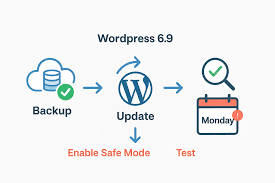
Installing things by hand is reliable and safe.
Even if Word Press search isn’t working, it still functions.
This approach is used by many experts 💼.
Does this mean that WordPress is unable to locate plugins? Easily solve this stress-free issue.
🔍 Verify the Hosting Dashboard Configuration
By default, some hosts prevent the installation of plugins.
Examine the hosting control panel.
If necessary, get in touch with support ☎️.
Teams that host in the UK, USA, Canada, and Australia are typically quick and accommodating.
🧪 Try Using the Default Theme
Themes can occasionally lead to disputes.
Use a default theme, such as Twenty Twenty-Four 🎨, for a short while.
Look for plugins once more.
If it succeeds, you should focus on your theme.
🔌 PHP and REST API Problems
Word Press retrieves plugins via the REST API.
Plugin search is unsuccessful if the REST API is prohibited.
Word Press connections can also be broken by PHP version difficulties 🧠.
The problem is frequently resolved by updating PHP.
📈 The Effect of Missing Plugins on SEO and Performance
Performance and SEO are impacted by missing plugins.
Plugins for SEO might not install.
Plugins for caching might not be accessible.
Rankings suffer as a result 📉.
This is why it’s important to resolve this issue as soon as possible. 👉 Check out our guide on resolving WordPress SEO issues.
🌱 Easy Ways for Novices to Prevent This Problem
Here are some easy routines to adopt:
- Update Word Press 🔄
- Make use of reliable hosting 🏠
- Steer clear of too many security plugins 🛡️
- Make backups at all times 💍
These behaviors lessen the likelihood that WordPress won’t find plugins. Restore it with ease 😊.
🆚 Confusion between WordPress.org and WordPress.com
Word Press.org and WordPress.com are often confused by novices. Installing plugins is not permitted on WordPress.com’s free accounts.
Confusion and annoyance result from this.
Check your platform first if you see this problem.
A Real-World Example
WordPress was installed by a novice from Canada.
They looked for a plugin but couldn’t find one 😟.
The free plan on Word Press.com was the problem.
Everything was resolved by switching to WordPress.org. 🎉.”
Frequently Asked Questions
🤔 Why doesn’t the WordPress plugin search function?
Usually, internet, firewall, or hosting limitations are to blame.
🤔 Is it possible to install plugins without searching?
Yes, manual uploading is always successful 📦.
🤔 Is this a major issue?
No, Word Press Can’t Locate Plugins? Easily fix it with a few easy steps.
🤔 Does this impact SEO?
Yes, SEO setup might be slowed down by missing plugins.
🤔 Should I get in touch with hosting support?
Indeed. They frequently solve it fast ☎️.
🧠 Conclusion:
Fixing Word Press Not Finding Plugins Is Simple
Although this challenge appears frightening, it is actually quite easy.
The majority of fixes merely require a few minutes.
Download now